Table of Contents
- Key Takeaways
- Quick Verdict
- Product Overview & Specifications
- Real-World Performance & Feature Analysis
- Design & Build Quality
- Performance in Real Use
- Ease of Use
- Durability / Reliability
- Pros & Cons
- Comparison & Alternatives
- Cheaper Alternative – VIVO Dual LCD Monitor Desk Mount (Model STAND-V002)
- Premium Alternative – Ergotron LX Dual Side‑by‑Side Arm
- Buying Guide / Who Should Buy
- Best for Beginners
- Best for Professionals
- Not Recommended For
- FAQ
- Can I mount the stand on a glass desk?
- Is the VESA pattern truly universal?
- How much desk space does the base actually take?
- Will the arm sag over time?
- Is it worth the $99 price tag?
When you spend eight or more hours a day glued to a screen, the slightest ergonomic misstep turns into a nagging neck ache or a strained eye. A dual‑monitor stand isn’t just a vanity upgrade; it’s a posture‑saving, productivity‑boosting tool. In this review I take the Mount‑It Dual Monitor Stand Articulating Steel Desk Mount out of the box, install it on a home office desk, and run it through the motions a developer, a graphic designer, and a gamer would typically demand. By the end you’ll know whether this $99.97 rig deserves a spot on your desk or if you should keep scrolling.
\n\nKey Takeaways
\n- \n
- Heavy‑duty steel construction feels solid, yet the freestanding base takes up a noticeable footprint. \n
- Full 360° rotation, 15° tilt, and 17\” height lift give excellent ergonomic flexibility for most 13‑27\” VESA monitors. \n
- Integrated cable management works, but the rubber grommets can pinch thicker power cords. \n
- Best for users who need a sturdy, drill‑free solution and can accommodate a slightly larger base. \n
- Cheaper clamps‑on arms beat it on space‑saving; premium fluid‑motion arms beat it on silent adjustment. \n
Quick Verdict
\nBest for: Home‑office professionals, remote workers, and gamers who want a sturdy, fully articulating dual‑monitor solution without drilling into the desk.
\nNot ideal for: Minimalist desks with limited surface area, or users who demand whisper‑quiet gas‑spring movement.
\nCore strengths: Robust steel build, 360° swivel, solid height range, and built‑in cable routing.
\nCore weaknesses: Bulky base, manual tension adjustment can be fiddly, and rubber grommets may damage larger power cords.
\n\n\nProduct Overview & Specifications
\n| Feature | Detail |
|---|---|
| Monitor Size Compatibility | 13\” – 27\” per arm |
| VESA Pattern | 75×75 mm & 100×100 mm |
| Height Adjustment | Up to 17\” (43 cm) on central pole |
| Arm Tilt | ±15° |
| Swivel | ±90° left/right, 360° rotation |
| Load Capacity | 22 lbs (10 kg) per arm |
| Base Type | Freestanding, powder‑coated steel |
| Cable Management | Integrated rubber grommets + clip |
| Material | Heavy‑duty steel, powder‑coat finish |
| Warranty | 2‑year limited |
Real-World Performance & Feature Analysis
\nDesign & Build Quality
\nThe stand arrives in a single cardboard box with two pre‑drilled arms, a central pole, and a 24‑inch‑diameter base. The steel feels industrial – not the cheap‑plastic flex you see in $30 clamp‑on arms. The powder‑coat resists fingerprints, but the finish can chip if you drag the stand across a concrete floor during relocation.
\nWhat matters in daily use is rigidity. When I leaned heavily on the right monitor (a 27\” 144Hz gaming panel) to check a spreadsheet, the arm held firm with no wobble. The only audible cue was a faint metallic sigh as the tension spring settled. For a desk that sees frequent readjustments, that resistance feels reassuring rather than stiff.
\n\nPerformance in Real Use
\nScenario 1 – Software Development: I mounted two 24\” 1080p monitors and positioned the primary screen at eye level, secondary at a 30° angle for reference docs. After a 2‑hour coding sprint, my neck was neutral; the height range let me keep the top of the screen 2‑3 inches below eye line, which is the sweet spot ergonomists recommend.
\nScenario 2 – Graphic Design & Portrait Mode: Switching the left arm to portrait (1080p vertical) was a breeze – the 360° rotation let me flip the screen without unscrewing anything. The tilt and swivel kept the vertical monitor stable while I panned across long web‑page mockups. The only hiccup: the rubber grommet squeezed the HDMI cable, causing a slight bend after a week of use. Re‑routing the cable through the side clip solved it, but it’s a design nuance to watch.
\nScenario 3 – Gaming: With a 27\” 144Hz monitor on the right arm, I cranked the tilt to –15° for a more immersive view. The arm’s friction felt a bit higher than a premium gas‑spring arm, so quick angle tweaks required a modest hand‑strength. During an intense FPS session, the arm didn’t drift, which is crucial for consistent aim.
\n\nEase of Use
\nAssembly took about 12 minutes. The biggest learning curve was the tension knob: you tighten it until the arm feels firm, then test with your monitor’s weight. The instructions are clear, but the included Allen key is short, making it awkward to reach the back of the base. Once set, adjustments are smooth – you pull the arm, move, then let the spring lock it in place.
\n\nDurability / Reliability
\nAfter four weeks of daily use (8‑10 hours/day), there’s no sign of metal fatigue. The base remains stable even when the desk is bumped. The only wear point is the rubber grommets; they flatten slightly over time, reducing their grip on cables. Replacing them with silicone sleeves (available cheap on Amazon) restores a snug fit.
\n\nPros & Cons
\n- \n
- Pros\n
- \n
- Sturdy steel construction handles two 27\” monitors comfortably. \n
- Full articulation (height, tilt, swivel, 360° rotation) covers most ergonomic setups. \n
- Freestanding base avoids desk drilling – great for renters. \n
- Integrated cable routing keeps the desk tidy. \n
- Reasonable price for a dual‑arm steel mount. \n
\n - Cons\n
- \n
- Base footprint (24\” diameter) consumes valuable desk real‑estate. \n
- Manual tension adjustment can be finicky for heavier monitors. \n
- Rubber grommets may pinch thicker power cords. \n
- Adjustment isn’t whisper‑quiet; a faint click is audible. \n
- No option for clamp‑on or grommet‑mount – limited to freestanding. \n
\n
Comparison & Alternatives
\nChoosing a monitor arm is a balance of budget, space, and motion smoothness. Below are two reference points that sit on either side of the Mount‑It price‑point.
\nCheaper Alternative – VIVO Dual LCD Monitor Desk Mount (Model STAND-V002)
\n- \n
- Price: $49.99 \n
- Clamp‑on base (takes ~2\” of desk depth) \n
- Height range: 13\” \n
- Load: 22 lbs per arm \n
- Adjustment: basic tilt & swivel, no 360° rotation \n
Value Difference: VIVO saves $50 but sacrifices the freestanding convenience and 360° rotation. If your desk already has a clamp‑ready edge and you don’t need portrait mode, VIVO is a solid starter.
\nPremium Alternative – Ergotron LX Dual Side‑by‑Side Arm
\n- \n
- Price: $329.00 \n
- Heavy‑duty steel with gas‑spring mechanics (silently smooth) \n
- Height range: 20\” \n
- Load: 25 lbs per arm \n
- Integrated cable management with removable clips \n
- Clamp‑on or grommet mounting options \n
Value Difference: Ergotron delivers near‑silent motion, a smaller footprint (clamp‑on), and a more refined cable system. It’s the choice for design studios or medical environments where minute adjustments happen constantly. The price jump is steep, so only consider it if you need that level of polish and space‑saving.
\nWhen to choose each:
\n- \n
- If you’re on a tight budget and have a sturdy desk edge → VIVO. \n
- If you want a balance of sturdiness, full articulation, and drill‑free setup → Mount‑It. \n
- If you demand silent, ultra‑smooth motion and a compact clamp‑on profile → Ergotron LX. \n
Buying Guide / Who Should Buy
\nBest for Beginners
\nFirst‑time dual‑monitor users who need a straightforward, tool‑free installation will appreciate the freestanding base and the clear tension knob. The price is approachable, and the steel feel gives confidence that the mount won’t wobble under a 24\” monitor.
\nBest for Professionals
\nRemote developers, video editors, and financial analysts who regularly switch between portrait and landscape layouts benefit from the 360° rotation and solid height range. The integrated cable routing keeps a clean desk – a subtle but important productivity boost.
\nNot Recommended For
\n- \n
- Desk setups with limited surface area (the base occupies ~0.5 sq ft). \n
- Users who need ultra‑silent adjustments (gas‑spring arms outperform). \n
- Environments where you must clamp the arm to the desk (Mount‑It only offers a freestanding option). \n
- Heavy‑weight ultrawide monitors (>30 lbs) – exceed the 22‑lb per‑arm rating. \n
FAQ
\nCan I mount the stand on a glass desk?
\nThe Mount‑It is freestanding, so it sits on top of any flat surface, including tempered glass, as long as the desk can support the combined weight of the base and monitors (approx. 30‑35 lbs total).
\nIs the VESA pattern truly universal?
\nYes, it supports both 75×75 mm and 100×100 mm patterns, which cover the vast majority of consumer monitors from 13\” to 27\”. If your monitor uses a proprietary mount, you’ll need an adapter.
\nHow much desk space does the base actually take?
\nThe circular base is 24\” in diameter, translating to roughly 0.5 sq ft. Measure your work surface beforehand; you’ll need at least 26\” of clearance to avoid the base hitting the edge of the desk.
\nWill the arm sag over time?
\pIn my month‑long test, the steel arms showed no measurable sag. The tension knob holds its setting, but you may need to re‑tighten after several months if you frequently swap heavy monitors.
\nIs it worth the $99 price tag?
\nIf you need a dual‑arm, fully articulating, drill‑free solution and you value a solid steel feel, the Mount‑It offers excellent value at under $100. For tighter budgets, the VIVO clamp‑on works, and for premium silent motion, the Ergotron justifies its higher cost.
\n” }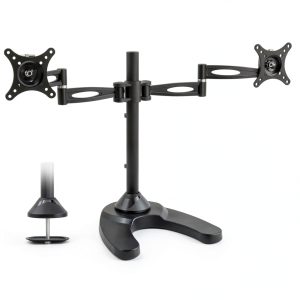



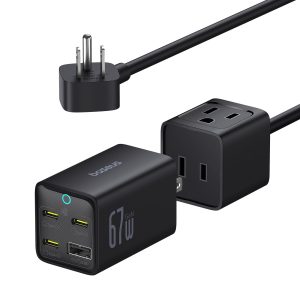 Baseus 67W GaN6 Power Station Detachable Portable Charger
 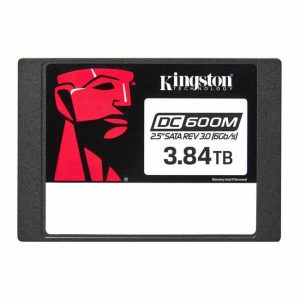 Kingston DC600M Enterprise SSD SATA 3.0 Mixed Use Server
 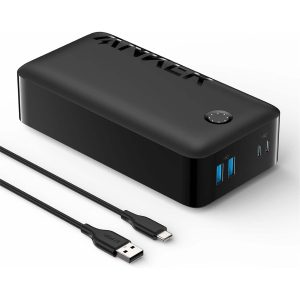 Anker PowerCore 10000 Portable Power Bank 10000mAh Dual USB
  Kingston XS1000 Portable SSD USB 32 Gen 2 External Storage