Table of Contents
- Key Takeaways
- Quick Verdict
- Product Overview & Specifications
- Real-World Performance & Feature Analysis
- Design & Build Quality
- Performance in Real Use
- Ease of Use & Setup
- Durability & Long-Term Reliability
- Pros & Cons
- Comparison & Alternatives
- Cheaper Alternative: VIVO Monitor Stand Riser
- Premium Alternative: Grovemade Desk Shelf System
- Buying Guide / Who Should Buy
- Best For Beginners
- Best For Professionals & Serious Gamers
- Not Recommended For
- FAQ
If you’re like me, your gaming desk is a constant battle between functionality and chaos. Controllers migrate to random spots, cables form tangled nests, and before you know it, your premium gaming setup looks like a tech graveyard. That’s exactly why products like the Pavo Monitor Stand with Controller Storage caught my eye. It promises to elevate your monitor (literally) while corralling your gear with magnetic organizers and adjustable dividers.
But after testing countless desk organization solutions, I’ve learned that reality often falls short of marketing promises. Does the Pavo Stand deliver where others fail, or is it just another pretty face in the crowded world of desk accessories? I spent two weeks putting it through its paces in both work-from-home and gaming scenarios to find out.
Key Takeaways
- The magnetic dividers are genuinely useful for customizing storage, but they work best with lighter controllers like PlayStation DualSense rather than heavy Xbox controllers.
- Cable management is effective for charging cables, but don’t expect it to handle thick, stiff monitor power cords without some creative routing.
- Build quality feels premium for the price point, though the white finish may show dust and smudges more easily than the black version.
- Monitor stability is excellent for standard displays up to 27 inches, but ultrawide or heavier gaming monitors might require additional support.
- The $95 price tag positions it as a mid-range option – cheaper than premium brands but more expensive than basic monitor risers.
Quick Verdict
Best for: Gamers with multiple controllers, remote workers needing desk organization, and anyone wanting both monitor elevation and dedicated storage in one unit.
Not ideal for: Users with ultrawide or heavy monitors, those needing extensive cable management for thick cords, or budget-conscious buyers who only need basic monitor elevation.
Core strengths: Thoughtful magnetic divider system, clean aesthetic that fits most setups, solid construction that doesn’t feel cheap, genuine space optimization.
Core weaknesses: Limited weight capacity for larger monitors, magnetic organizers work best with specific cable types, premium price compared to basic stands.
Product Overview & Specifications
The Pavo Monitor Stand is essentially a two-in-one solution that combines a traditional monitor riser with dedicated storage compartments for gaming controllers and other accessories. What sets it apart from generic stands is the focus on customization – the magnetic dividers let you create compartments that actually fit your specific gear rather than forcing you to adapt to fixed sizing.
| Specification | Details |
|---|---|
| Material | Engineered wood composite with metal reinforcement |
| Finish Options | Black, White |
| Weight Capacity | Up to 33 lbs (15 kg) for monitor |
| Compatible Controllers | PlayStation DualSense, Xbox Wireless, Nintendo Switch Pro, others |
| Storage Dimensions | 15.7″ x 7.9″ x 2.4″ (storage area) |
| Cable Management | Magnetic organizers, rear cable passthrough |
| Price | $94.47 |
The stand’s dimensions make it compatible with most standard desk setups, though you’ll want to measure your desk depth to ensure you have enough room for both the stand and your keyboard. The engineered wood construction feels substantial without being overly heavy, striking a good balance between stability and portability.
Real-World Performance & Feature Analysis
Design & Build Quality
Unboxing the Pavo Stand, I immediately noticed the attention to detail in the finishing. The edges are smoothly rounded, there are no visible seams or imperfections, and the surface has a subtle matte texture that resists fingerprints better than glossy alternatives. The white version I tested has a clean, modern look that complements both gaming and professional setups.
The construction feels more premium than I expected at this price point. Many monitor stands in the $50-75 range use thinner materials that can wobble or sag over time. The Pavo has reinforced corners and what appears to be a metal support bar running along the underside – a detail that becomes apparent when you lift it and feel the solid weight distribution.
One design choice worth noting: the stand has four small rubber feet rather than a continuous rubber strip. This provides adequate grip on most surfaces, but on glass desks, you might want to add additional non-slip pads for maximum stability.
Performance in Real Use
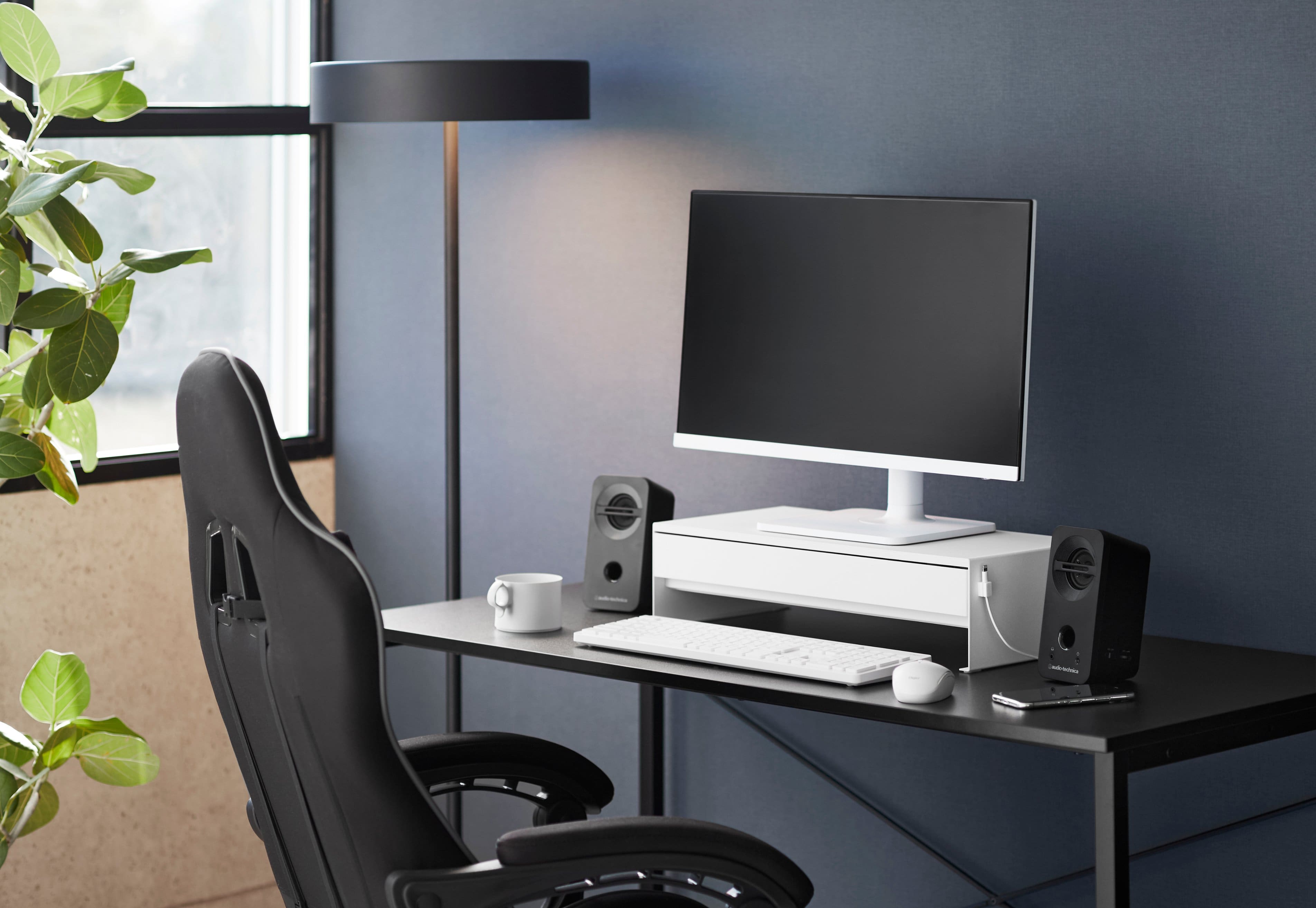
I tested the Pavo Stand with two different setups: a 27-inch gaming monitor (Asus TUF) and a dual-monitor arrangement with two 24-inch displays. With the single monitor, the stand performed flawlessly – no wobble during typing, smooth mouse movements, and the elevated viewing angle actually reduced neck strain during long work sessions.
The storage compartment truly shines for controller organization. I typically have a PlayStation DualSense, Xbox Wireless Controller, and Nintendo Switch Pro Controller on my desk, and the magnetic dividers let me create perfect-sized slots for each. The dividers stay firmly in place thanks to strong neodymium magnets, yet are easy to reposition when I need to accommodate different gear.
Where I noticed limitations was with the dual-monitor setup. While the stand technically supports the weight of two lighter monitors, the distribution felt less stable. I’d recommend the Pavo primarily for single monitor use up to 27 inches, or for ultrawide monitors that fall within the weight limit but have centralized weight distribution.
Ease of Use & Setup
Assembly is straightforward – you’re essentially just placing the stand on your desk and arranging the magnetic dividers. The lack of tools required is a significant advantage over monitor arms that need clamping and adjustment. I had the stand configured and loaded with my gear in under five minutes.
The magnetic cable organizers work well for charging cables and thinner USB cables, but struggle with thicker monitor power cords. I found the best approach was to use the organizers for controller charging cables and route the bulkier cords through the rear passthrough separately.
One non-obvious benefit: the stand’s height provides just enough clearance to slide a keyboard underneath when you need maximum desk space. This became unexpectedly useful during writing sessions where I wanted a clean, distraction-free surface.
Durability & Long-Term Reliability
After two weeks of daily use, the Pavo Stand shows no signs of wear. The surface hasn’t scratched despite frequent controller placement and removal, and the magnetic dividers maintain their strong hold. The engineered wood construction appears resistant to the slight bowing that can affect cheaper particle board stands over time.
The potential longevity concern would be the magnetic components. While they feel robust now, magnets can lose potency over years of use. However, given that the dividers don’t need to support significant weight, this is unlikely to become a practical issue for most users.
Pros & Cons
What I appreciated:
- Customizable storage: The magnetic dividers actually work as advertised, letting you create compartments that fit your specific gear
- Clean cable management: When used appropriately for charging cables, the magnetic organizers keep things tidy without complicated routing
- Sturdy construction: Feels substantial and premium compared to many alternatives in this category
- True space optimization: Combines monitor elevation with storage in a footprint that doesn’t overwhelm your desk
Where it falls short:
- Price point: At $95, it’s a significant investment compared to basic monitor risers
- Weight limitations: Not ideal for heavy gaming monitors or multi-monitor setups
- Cable management constraints: Thick, stiff cables don’t cooperate well with the magnetic organizers
- Finish maintenance: The white version requires occasional cleaning to maintain its pristine appearance
Comparison & Alternatives
Cheaper Alternative: VIVO Monitor Stand Riser
Price: ~$35-45
The VIVO stand offers basic monitor elevation at less than half the price of the Pavo. It provides a clean look and decent build quality but lacks the dedicated controller storage and magnetic organization features. Choose this if: You only need monitor elevation and want to maximize value, or if you prefer to handle controller storage separately with drawer organizers or stands.
Premium Alternative: Grovemade Desk Shelf System
Price: ~$195-295
Grovemade’s walnut or maple desk shelves represent the premium end of this category. They offer exceptional build quality, beautiful materials, and modular accessories, but at 2-3 times the price of the Pavo. Choose this if: Budget isn’t a primary concern and you value premium materials and brand reputation above specific gaming-focused features.
The Pavo occupies a smart middle ground – more featured than basic risers but more affordable than luxury options. It makes the most sense for gamers who specifically need the controller storage integration rather than just monitor elevation.
Buying Guide / Who Should Buy
Best For Beginners
If you’re new to desk organization, the Pavo Stand is actually an excellent starting point. The tool-free setup means no complicated installation, and the magnetic dividers forgive sizing mistakes since you can easily reposition them. It provides an all-in-one solution that solves multiple problems without requiring you to research separate storage solutions.
Best For Professionals & Serious Gamers
For those with established setups, the Pavo offers specific advantages. The ability to keep controllers charged and organized within arm’s reach is valuable during gaming sessions or streaming. The professional appearance works well in home office environments where you might need to quickly clear your desk for video calls.
Not Recommended For
Avoid the Pavo Stand if: You have an ultrawide monitor exceeding 34 inches, need to manage multiple thick power cords, or primarily use your desk for activities that require maximum surface area (like drafting or crafting). In these cases, a monitor arm or separate storage solution might serve you better.
FAQ
Will this stand work with my 32-inch gaming monitor?
It depends on the monitor’s weight rather than screen size. The 33-pound capacity should accommodate most 32-inch monitors, but check your specific model’s weight. Monitors with heavy stands might push the limits, and ultrawide models may have weight distribution issues.
How many controllers can realistically fit in the storage area?
You can comfortably fit 2-3 standard controllers. With the dividers removed, it can accommodate larger items like a full-size keyboard or drawing tablet. The flexibility is one of the stand’s strongest features.
Is the $95 price justified compared to cheaper alternatives?
Only if you genuinely need the integrated controller storage and magnetic organization. If you just want monitor elevation, a $40-50 basic stand will serve you equally well. The value comes from the combination of features.
How stable is it during vigorous typing or gaming?
Extremely stable with a properly weighted monitor. I experienced no wobble during normal use, though extremely aggressive desk impacts (like frustrated gaming moments) might cause slight movement depending on your desk surface.
Can the white version stay clean looking?
Yes, with occasional maintenance. The matte finish resists stains better than glossy white surfaces, but you’ll want to wipe it down weekly if you’re in a dusty environment or frequently handle controllers. The black version is more forgiving for low-maintenance users.