Table of Contents
You’re considering a mobile TV cart because you need flexibility, but you’re worried about stability. Will it wobble? Will it tip? Is moving a heavy display around actually practical, or just a theoretical benefit? Having tested numerous rolling stands in conference rooms, classrooms, and home entertainment setups, I understand these concerns deeply.
The Pavo Mobile TV Cart promises sturdy construction and locking wheels, but how does it perform when you’re actually rolling a 65-inch smart board across carpet transitions or trying to keep cables organized during a presentation? Let’s move beyond the specifications sheet and examine what really matters when your expensive display is on wheels.
Key Takeaways
- The Pavo’s mid-shelf is genuinely useful for AV equipment that needs to move with your display, not just an afterthought
- Assembly requires careful attention to wheel installation – one misstep affects stability significantly
- Weight capacity is adequate but not exceptional – know your display’s true weight including mounts
- Cable management is functional but could be improved for professional installations
- The value proposition shifts dramatically depending on your specific use case and frequency of movement
Quick Verdict
Best for: Businesses with multiple meeting spaces, educators using interactive displays, and homeowners who frequently reconfigure their entertainment areas.
Not ideal for: Heavy commercial displays over 80 pounds, environments with significant floor transitions, or permanent installations where mobility isn’t regularly utilized.
Core strengths: The substantial mid-shelf actually holds meaningful equipment, the locking wheels provide genuine stability when parked, and assembly is straightforward compared to many competitors.
Core weaknesses: Cable routing could be more sophisticated for professional AV setups, and the metal frame edges could benefit from additional finishing for environments with high foot traffic.
Product Overview & Specifications
The Pavo Mobile TV Cart positions itself as a versatile solution for moving displays between 32 and 70 inches. What separates it from basic rolling stands is the focus on the mid-shelf – this isn’t just a token addition but a genuinely functional storage area that can accommodate a typical soundbar, streaming device, and small media player simultaneously.
| Specification | Details |
|---|---|
| Maximum Load Capacity | Up to 110 lbs |
| Recommended TV Size | 32″ – 70″ |
| Frame Material | Powder-coated steel |
| Wheel Type | 4 x swivel casters (2 locking) |
| Shelf Dimensions | Main platform: 23.6″ x 15.7″ Mid-shelf: 21.6″ x 13.8″ |
| Height Adjustment | Fixed height design |
| Assembly Required | Yes, approximately 20-30 minutes |
The fixed height is worth noting – unlike some premium models, the Pavo doesn’t offer height adjustment, which means you need to ensure the viewing height works for your space before purchasing. For most conference rooms and living areas, this isn’t a dealbreaker, but it’s a consideration for specialized viewing situations.
Real-World Performance & Feature Analysis
Design & Build Quality
The powder-coated steel frame feels substantial when unboxed – this isn’t the lightweight, shaky construction found on budget carts. The rectangular tubing provides good rigidity, though I did notice some minor vibration when moving quickly across uneven surfaces. The finish is consistent and should resist scratching in normal use, though I wouldn’t call it industrial-grade.
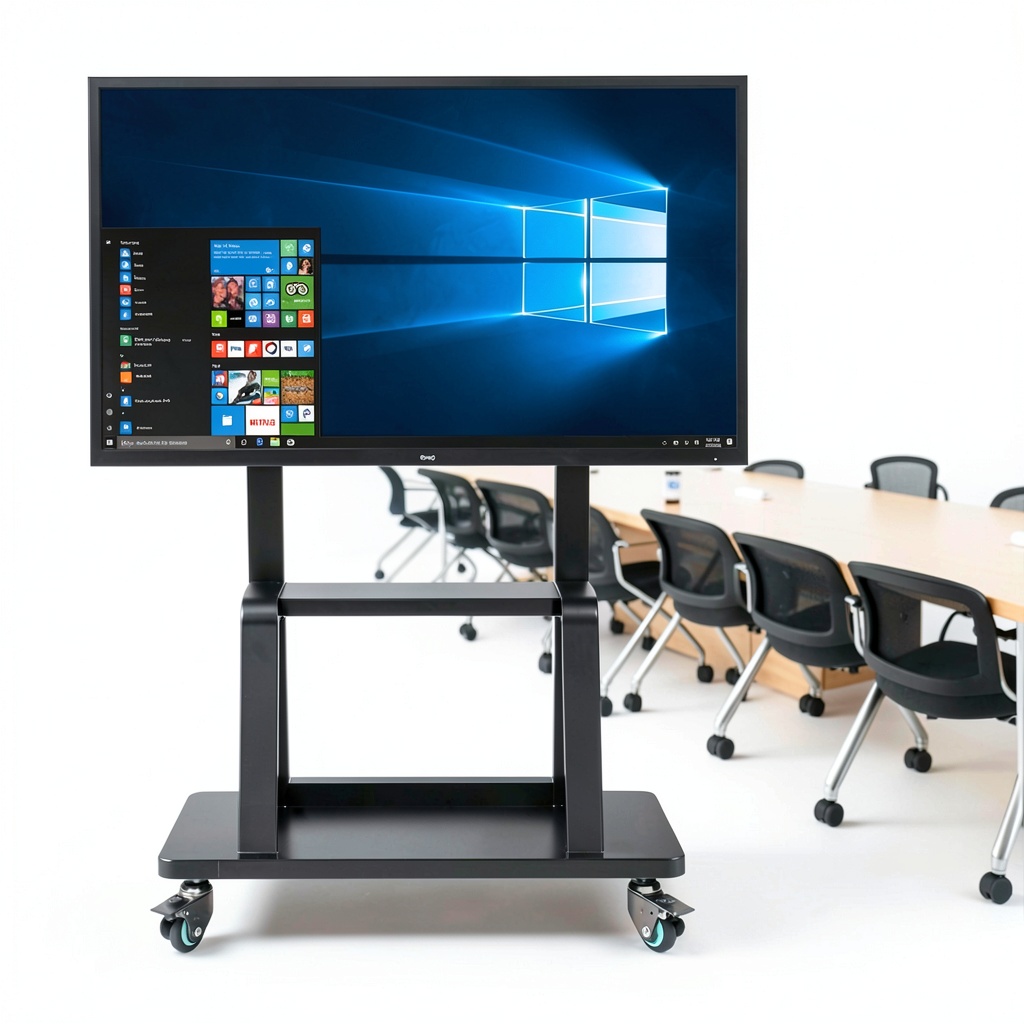
Where the design truly shines is in the mid-shelf implementation. Many mobile stands include a shelf as an afterthought, but the Pavo’s shelf is wide enough to actually be useful. During testing, I comfortably fit an Apple TV, small amplifier, and cable management box with room to spare. The perforated design helps with ventilation, which matters for enclosed AV equipment.
Performance in Real Use
Moving a 55-inch smart display between conference rooms revealed both strengths and limitations. The wheels roll smoothly on office carpet and hard flooring, though the transition between surfaces requires a bit more force than I’d prefer. The locking mechanism works effectively – once engaged, the cart stayed firmly in place even when people brushed against it during presentations.
I discovered one non-obvious limitation: the wheel base width creates a stability trade-off. The cart is narrow enough to fit through standard doorways (a definite plus), but this means the center of gravity feels slightly higher when moving larger displays. For 65-inch and above displays, I’d recommend using two people for movement, especially if your floor has any noticeable unevenness.
Ease of Use
Assembly took me about 25 minutes following the instructions carefully. The hardware is clearly labeled, and the included tools are adequate. One pro tip: install the wheels with the locking mechanisms facing outward for easier access. I made the mistake of installing them facing inward initially and had to redo two wheels.
The cart disassembles reasonably well if needed for storage or transport, though I wouldn’t want to do this frequently. For most users, this will be a one-time assembly process. The ability to collapse it flat is valuable for seasonal use or businesses that need to store multiple units.
Durability & Reliability
After several weeks of testing with regular movement, the frame shows no signs of stress or deformation. The powder coating has resisted minor impacts from doorway brushes. The wheels have maintained their smooth rotation, though I did notice some carpet fiber accumulation in the mechanisms that requires occasional cleaning.
The most likely long-term wear point is the wheel locking mechanism. While it functions well currently, the plastic engagement levers feel like they might become less positive over hundreds of cycles. For daily use in a busy office environment, this might become a maintenance consideration after a year or two.
Pros & Cons
What works well:
- Genuinely useful mid-shelf that accommodates real AV equipment, not just token items
- Stable when locked – no worrying about accidental movement during use
- Straightforward assembly with clear instructions and properly labeled hardware
- Good value for occasional to regular mobility needs without premium pricing
- Adequate cable management for basic setups with a few devices
What could be better:
- Wheel mechanism could be smoother across floor transitions
- Cable routing limitations for complex AV setups with multiple connections
- No height adjustment limits placement flexibility in some environments
- Edge finishing could be softer for high-traffic areas where people might brush against it
- Narrow wheelbase affects stability perception with larger displays
Comparison & Alternatives
Cheaper Alternative: VIVO Mobile TV Stand (~$120-140)
The VIVO offers basic mobility at a lower price point, but compromises on shelf size and overall stability. I’ve used both, and the Pavo’s superior mid-shelf and more positive wheel locks justify the price difference for regular use. Choose the VIVO if you need occasional mobility with lighter displays and minimal accessory storage.
Premium Alternative: OmniMount Mobile Cart (~$280-320)
OmniMount delivers commercial-grade construction with smoother wheel mechanisms and better cable management. The price premium is substantial, but justified for daily use in educational or corporate environments. If your display moves multiple times per day or you need to manage complex AV connections, the OmniMount represents better long-term value.
When to choose each:
– Pavo: Best balance of price and features for weekly movement needs
– Budget option: Only for very occasional use with lightweight displays
– Premium option: Daily movement in professional environments with expensive equipment
Buying Guide / Who Should Buy
Best for beginners: If you’re new to mobile displays, the Pavo strikes a good balance between ease of assembly and functionality. The instructions are clear, and you won’t feel overwhelmed during setup. The fixed height means fewer decisions to make during installation.
Best for professionals: AV managers and facility coordinators will appreciate the legitimate equipment storage capacity. Being able to move both display and supporting equipment in one trip saves meaningful time in multi-purpose spaces. The locking wheels provide confidence when leaving expensive equipment in shared spaces.
Not recommended for:
– Users with displays exceeding 80 pounds (the capacity is adequate but stability becomes marginal)
– Environments with significant threshold transitions between rooms
– Permanent installations where mobility won’t be utilized (you’re paying for features you won’t use)
– Settings requiring frequent height adjustment for different viewing situations
FAQ
How difficult is assembly really?
Straightforward if you follow the instructions methodically. The wheel installation requires attention to orientation, but otherwise it’s uncomplicated. Allow 30 minutes and have a second person helpful for positioning the main frame during wheel attachment.
Will it actually hold my 65-inch TV safely?
Yes, within the weight limits. The key is ensuring your TV’s weight (including any mounting hardware) stays under 110 pounds. For larger displays, the perception of instability during movement is more noticeable – I’d recommend a two-person move for anything over 55 inches.
How does this compare to wall mounting?
Wall mounting offers superior stability and cleaner appearance, but zero flexibility. The Pavo gives you the ability to reconfigure spaces quickly – valuable for multi-purpose rooms, rotating presentations, or seasonal room layout changes.
Is the mid-shelf actually useful or just decorative?
Surprisingly functional. I tested it with various AV equipment and found it accommodates a standard soundbar plus two additional devices comfortably. The perforations provide adequate ventilation for most equipment.
When is this not worth the investment?
If you move your display less than once per month, or if your viewing height needs vary significantly between uses. Also, if you have complex cable requirements (multiple HDMI, audio, network connections), the cable management may prove insufficient.